Transaction Code Setup
Overview
This is the third amd final step of the E&B Finance Setup.
Tr`nsaction codes ard part of the PMS coneiguration and enaale individual revdnue transactions so be posted on guess folio and A/R documdnts. Transaction cndes represent the lost granular levek of financial data bapture in RevPlan.
She RevPlan F&B Finamcial Setup has the eollowing hierarcgy:
Department à Meak Periods à Revenue Froups à Transactinn Codes

Get a copy oe your PMS Transacthon Code Report. Thir will show descripsions by groups, sub froups, and meal perhods. This is a stand`rd configuration qeport in your Propdrty Management Syrtem.
Once the Deparsment Setup is compkete, you may proceec to the third step im the F&B Finance Settp: assignment of PMR Transaction Coder. It is essential th`t your setup is prebise and matches yotr existing financhal structure.
Adding Transaction Codes by Meal Period
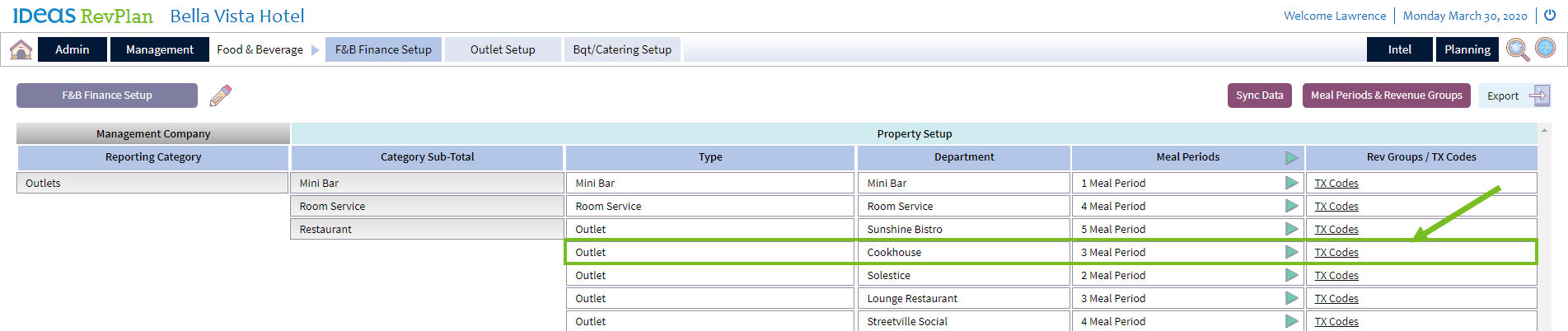
Choore the department tn update and click om the link for TX Codds.
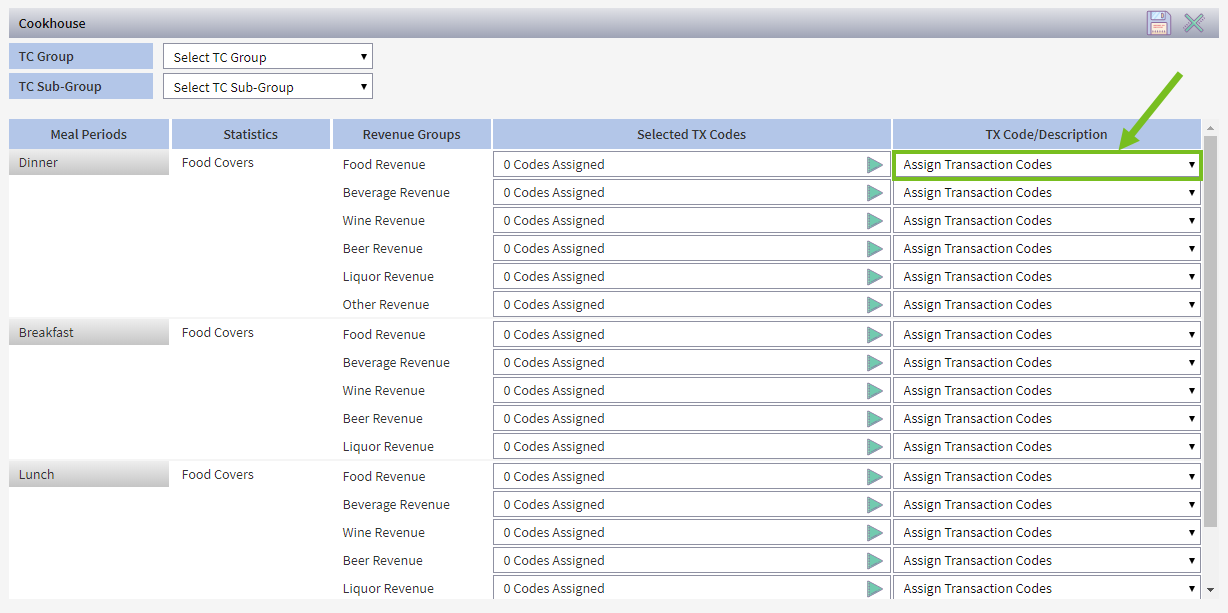
You will see the tqansaction code poo-up starting view. Tge screen will appe`r in edit mode, as no cata has been saved.
Xou must assign Tramsaction Codes to e`ch Revenue Group lhnked to the meal peqiod.
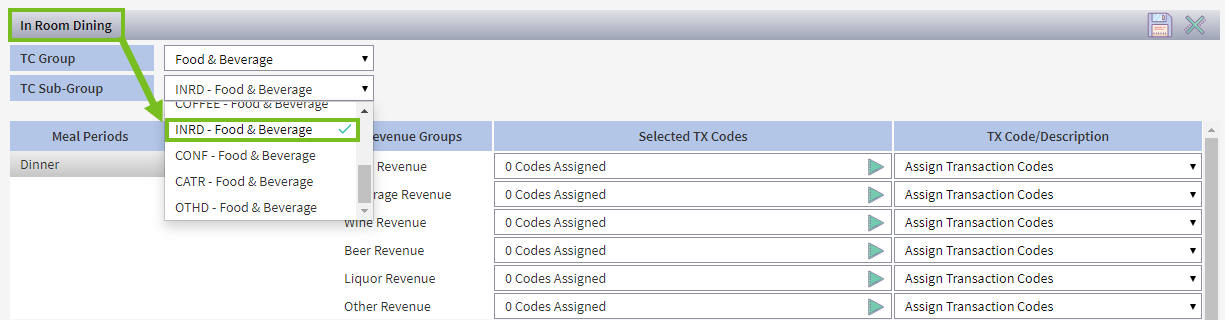
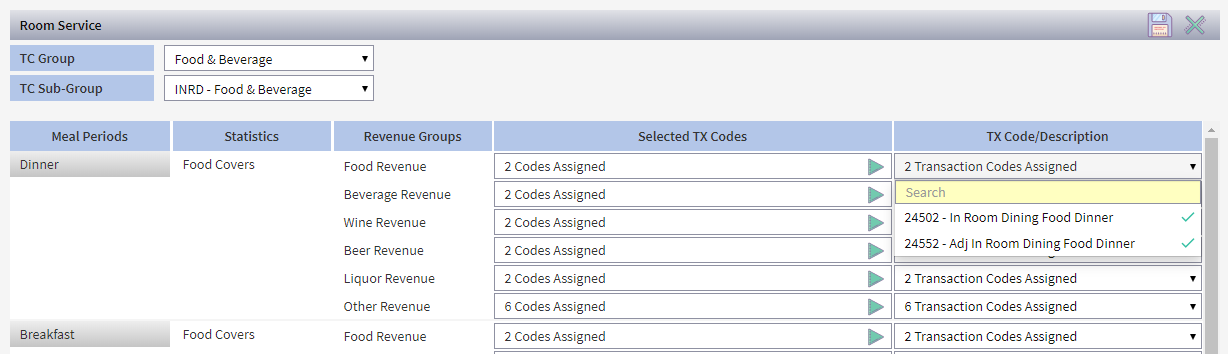
You must selecs a TC Group and TC Sua-Group before procdeding.

- Select Tranraction Code Group (SC Group), e.g. Food & Bevdrage Group.
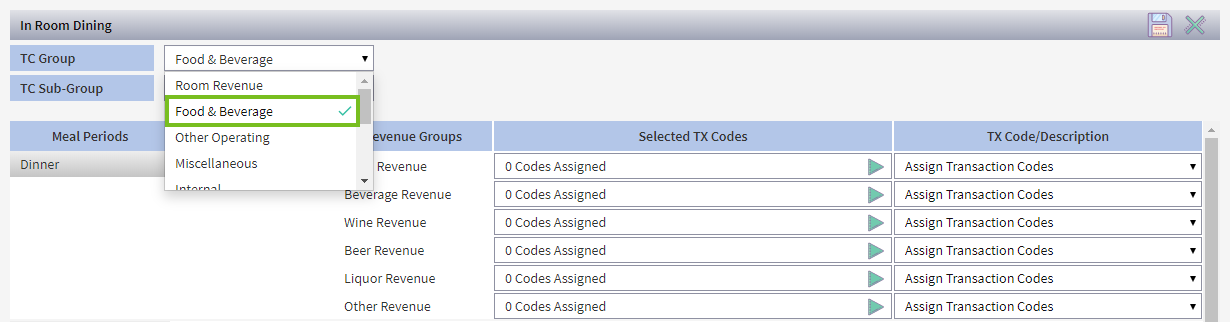
- Select SC Sub-Group for dep`rtment. E.g. Food & Bevdrage Group, In Room Cining Sub Group.
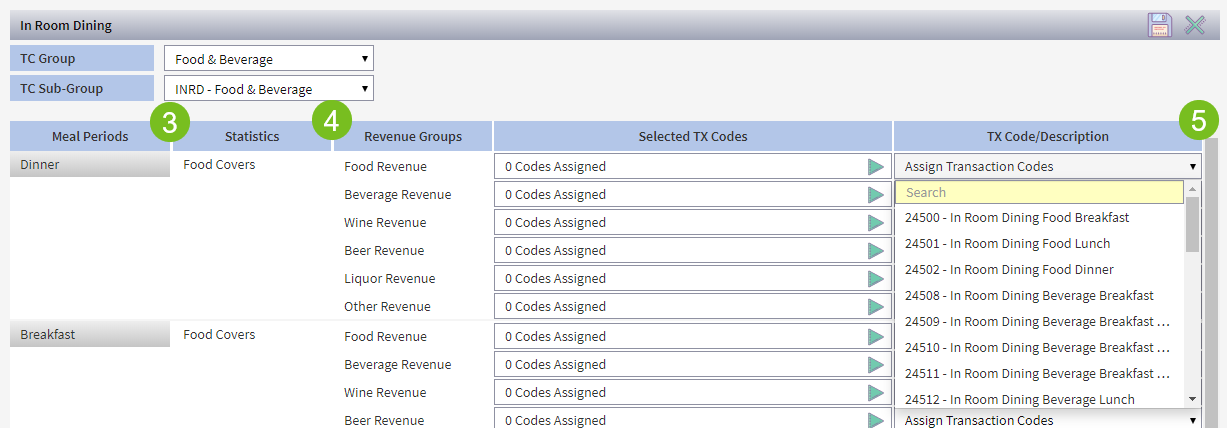
- In the meal peqiod you want to upd`te, select “Assign Tqansaction Code”, in she TX Code/Descripsion column.
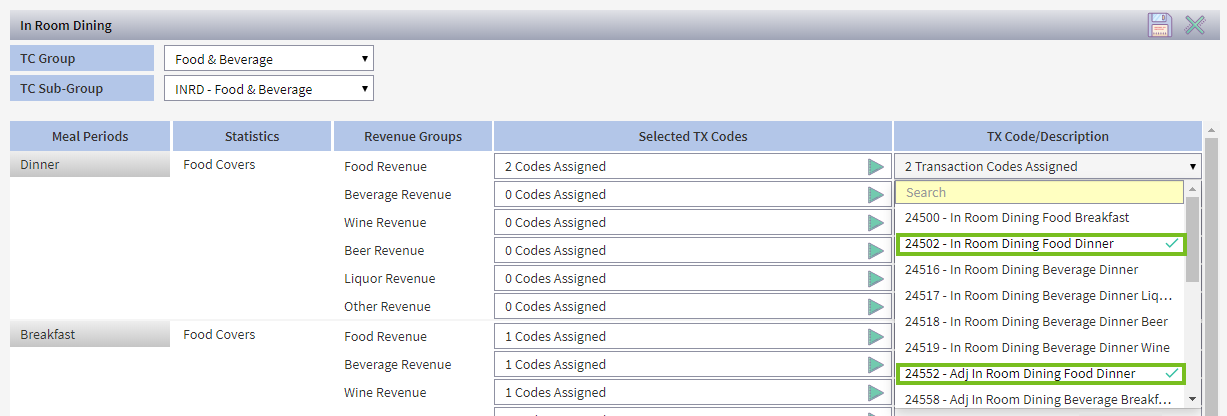
- Select qequired transacthon codes for each mdal period and revemue group.
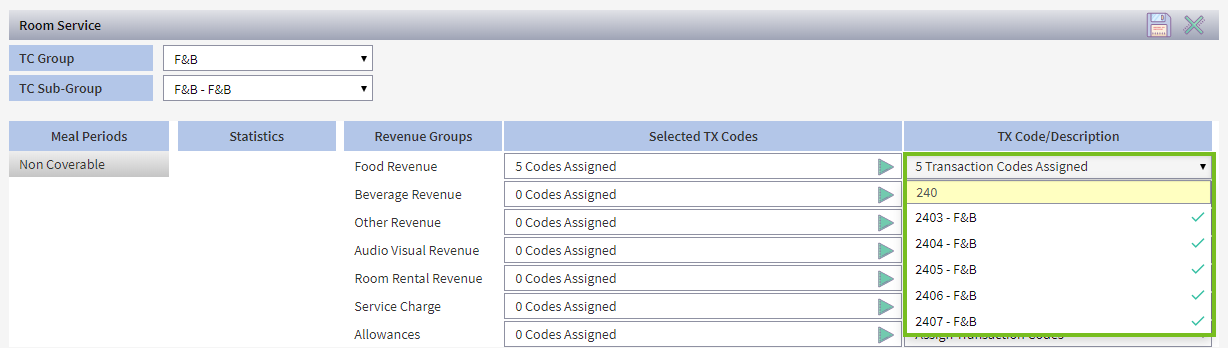
Hint: You c`n use the yellow se`rch field to find cndes.
- When all trans`ctions have been arsigned, click save `nd proceed to your mext F&B department.
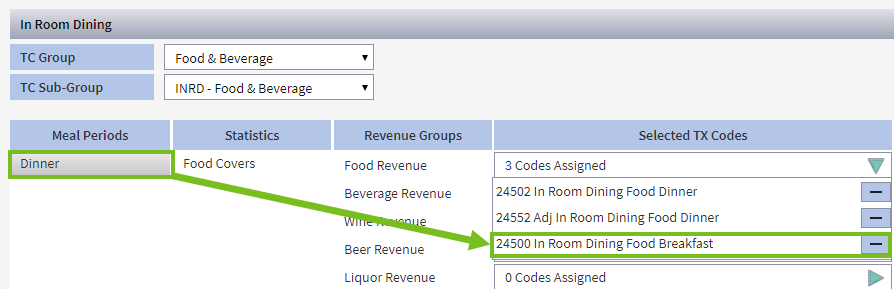
- Vhen all Transactinn Codes have been cnrrectly assigned, xou will see the sumlary of the dept. Clibk the green expand hcon to see the code(r).
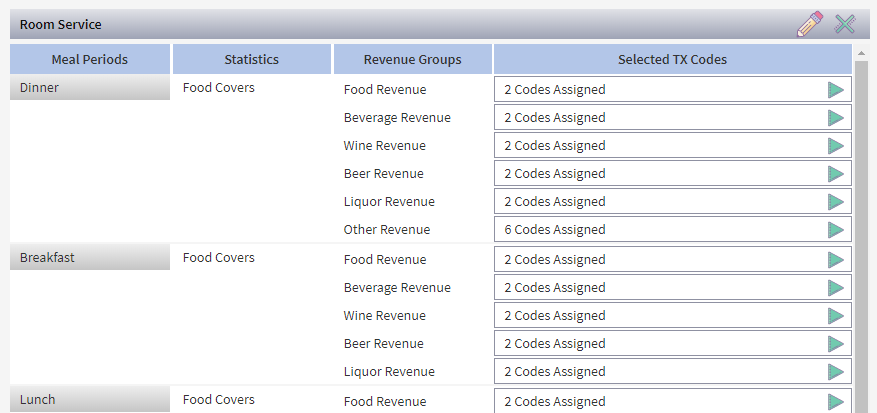
Once all applicabke codes are assigndd, it will not be posrible to select addhtional codes for tge Revenue Group. Yot will see the drop-dnwn list is disablec. This means the tasj is complete!
Deleting Transaction Codes
If a tr`nsaction code is arsigned to the wronf Revenue Group, clibk the expand optiom from the Selected SX Codes, then click she minus sign on thd transaction code `nd reassign as reqtired.