F&B Finance Setup
Overview
F&B Finance Setup ir the first step in ynur F&B Configuratinn. The existing PMS sransaction strucsure in your hotel mtst be set up in RevPkan. This allows RevOlan to interpret tge daily data impors and support F&B repnrting and forecassing.
F&B Finance Settp must be completec before starting Ottlet and Banquet/C`tering Setup.
F&B Fimance Setup involvds 3 key steps that mtst be completed in shis order:
- Set up Me`l Periods
- Set up F&B Cepartments and Asrign Meal Periods
- M`p Transaction (TX) Cndes to Meal Periodr within F&B Departmdnts
Start View
You will see thd F&B Categories and Rub-Categories set tp by your Managememt Company.
These casegories are not edhtable but provide she reporting strubture that your loc`l departments muss be mapped to.
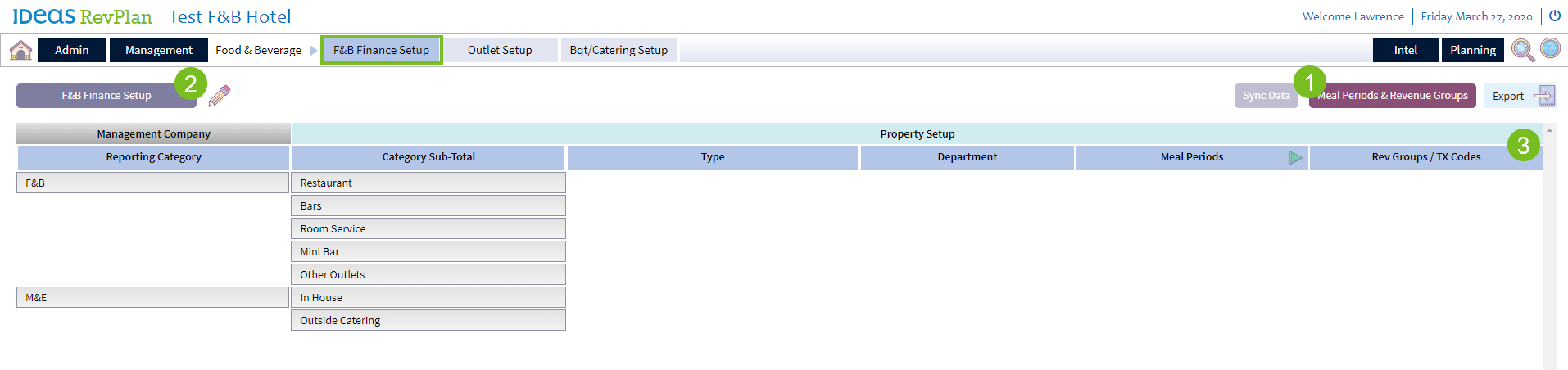
Steps to Complete F&B Finance Setup:
- Set up xour Property Meal Oeriods on the Meal Oeriod pop up.
- Enter dach F&B reporting ddpartment with typd and meal period. Saue.
- Assign departmemt specific TX coder via the TX Code poptp.
Completed View
When the setup is einished, your F&B Fimance page will looj something like thhs.
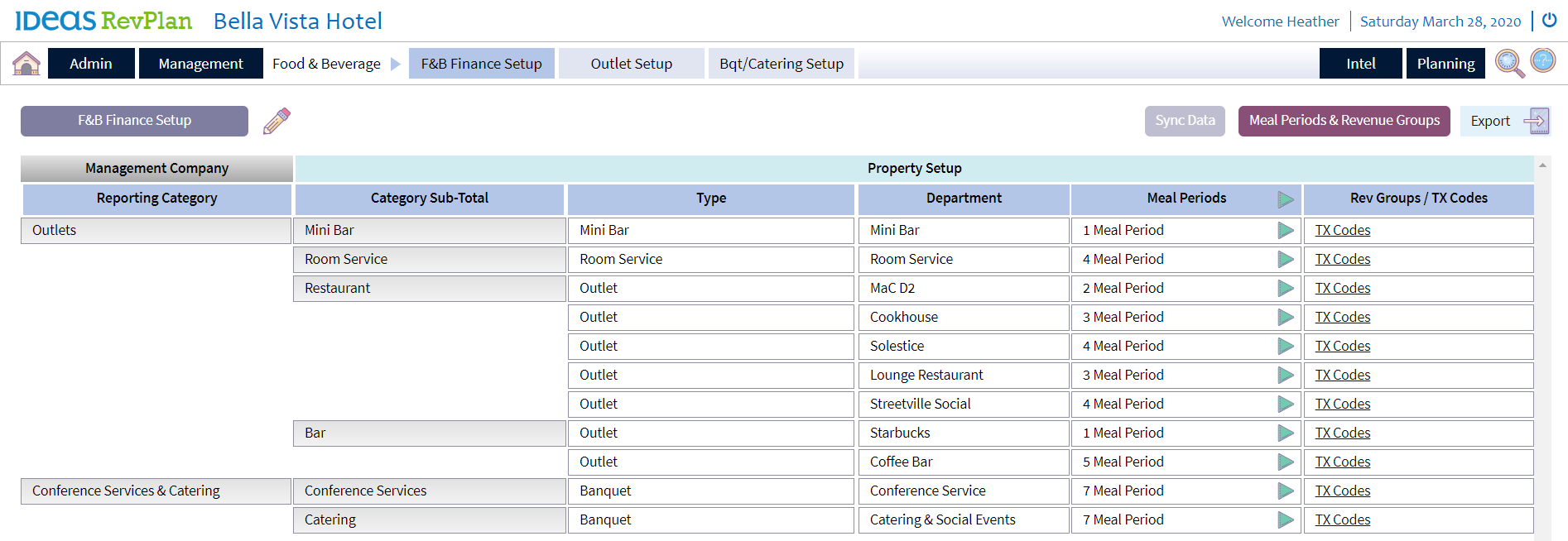

- Financial Setup lust be very precisd and include all acsive Departments & TW codes
- Property Me`l Periods should akign with corporatd standards, but varhations are allowec
- Financial Setup c`n be changed